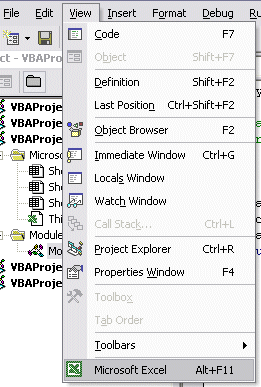
Viewing the Macro Code - The VBA Editor
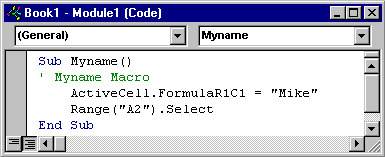
The macro that was recorded above has been written onto a module sheet.
By default this sheet will be called Module1.
We can examine this macro by using the Visual Basic Editor
Select
Tools - Macro - Visual Basic Editor
The macro can be examined by selecting the Module from the Project window.
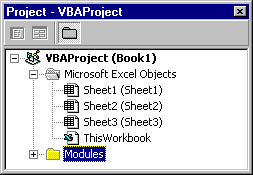
Selecting the module loads a window similiar to the following
We can return to the original worksheet by selecting the View - Microsoft Excel option.